GLINTSPIRE
One-tap tower stacking, 100 stages deep
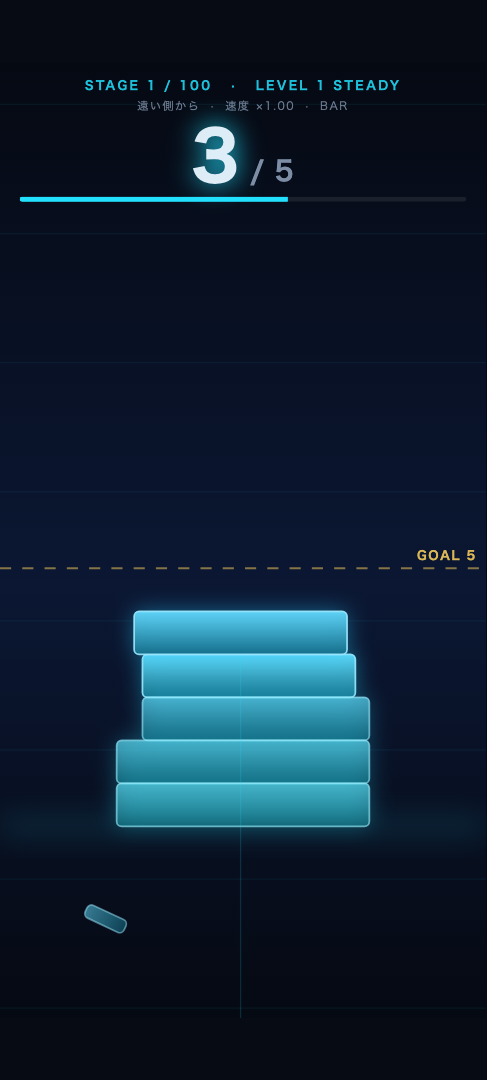
A neon block slides left and right. Tap to drop it squarely onto the one below. Whatever overhangs is sliced off, and the next block comes in that much narrower. Reach the golden goal line and the stage is cleared. Every 10 stages the way the block moves changes completely — by the final levels it tilts, swings and spins as it comes at you.
FEATURES
Just stacking. But no two stages play alike.
Stages, not an endless run
Each stage has a fixed target height instead of running forever. The goal line stays on screen while you play, so you always know exactly how many blocks are left.
Motion changes every level
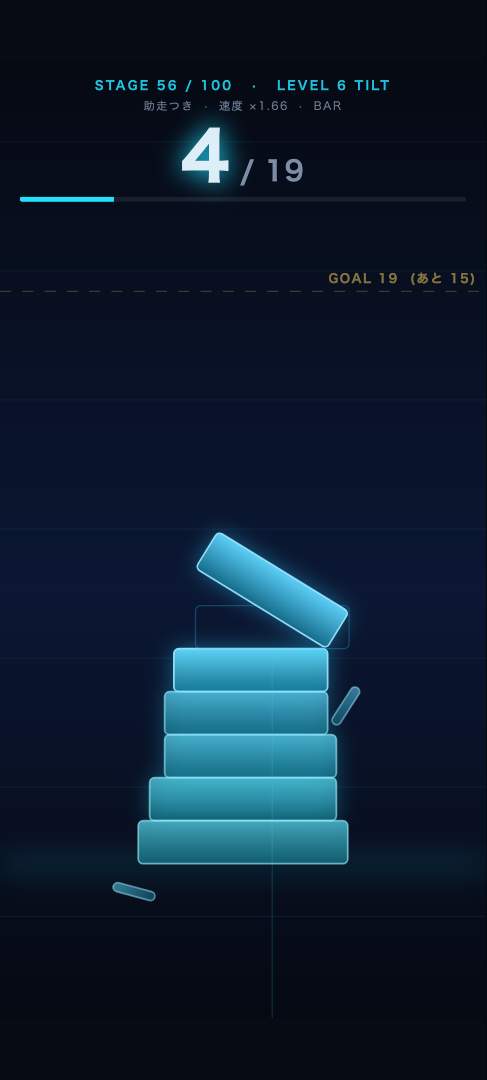
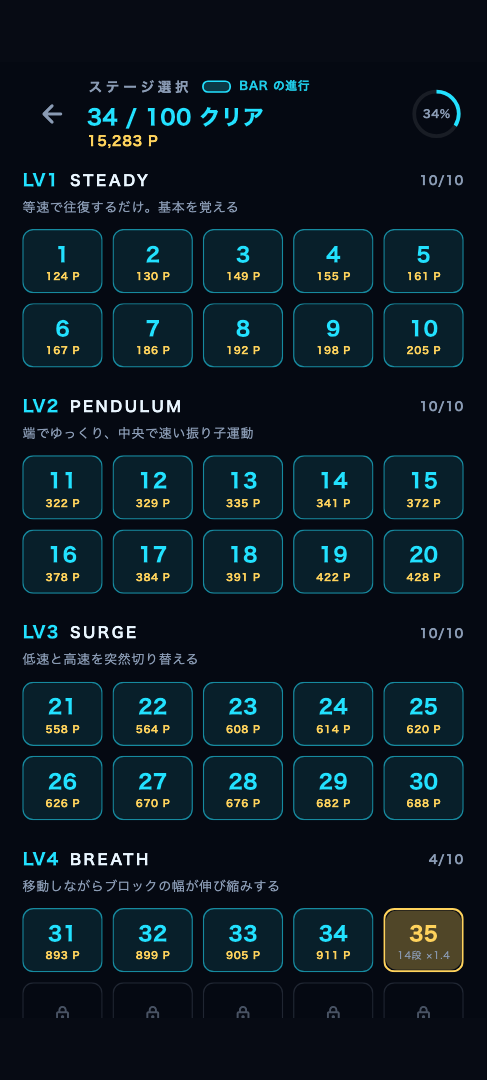
Ten stages make one level. It starts with a steady back-and-forth, then adds pendulum swings, sudden speed shifts, breathing width, tilt, early turns, and finally rotation.
No account needed
No sign-up, no sign-in. Your records are kept on your own device, so you can start the moment you feel like it.
Recover with PERFECT
Line the centers up exactly and you get a PERFECT — no width lost. Keep chaining them and the block regrows, so even a thin tower can be brought back.
Continue where you fell
If the tower collapses, watch an ad to resume from the same height (up to twice per attempt). The height you built is never wasted. While "Remove ads for 1 week" is active, you continue without watching anything.
A separate 100 stages per shape
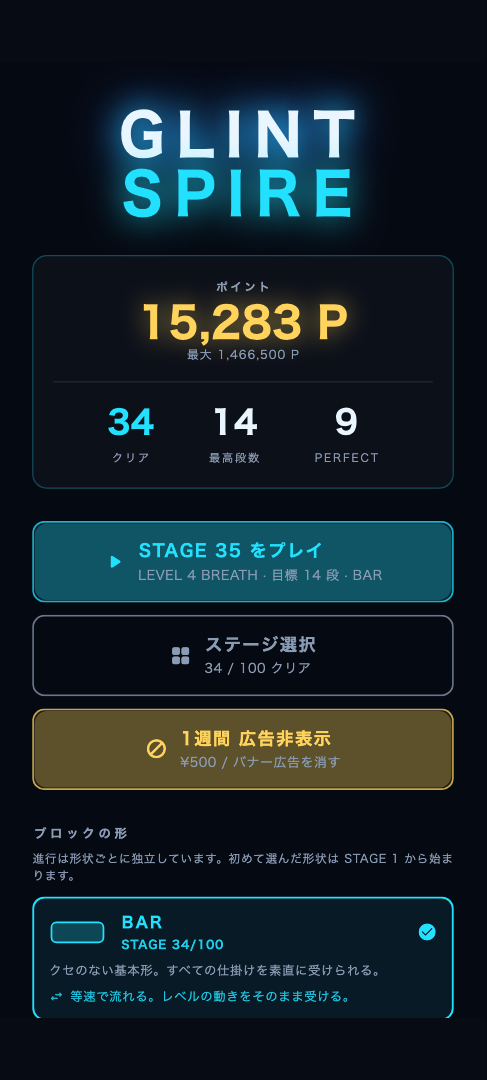
Five shapes: BAR, ORB, PRISM, SHARD and LINK. Row height, PERFECT tolerance, how much a miss shaves off — and the way the block slides — all change with the shape. ORB rolls like a pendulum, PRISM sways heavily, SHARD bolts across the edges, and LINK advances in clicks. Progress is tracked per shape too, so picking another shape starts its own run of 100 stages at stage 1.
Points for every clear
Clearing a stage earns points. Higher levels pay more, and every PERFECT adds a bonus on top. Keep the block wide all the way to the goal and you score higher still. Land every floor perfectly and you take the stage's maximum. Points add up across all five shapes.
New colors as you go
Clearing stages 10 / 30 / 55 / 85 unlocks additional color themes for the tower and the background.
SCREENS
Screenshots
HOW TO PLAY
How to play
- Tap the screen to drop the block.
- Anything hanging over the block below is sliced off, and the next block takes the remaining width.
- Land it dead center for a PERFECT — no width lost, and a streak restores width (four in a row with BAR; three to five depending on the shape).
- Stack up to the golden goal line to clear the stage and earn points.
- Miss the block below entirely and the tower collapses. Watch an ad to resume from the same height.
LEVELS
Ten levels, ten kinds of motion
| Lv | Stages | Name | Block motion |
|---|---|---|---|
| 1 | 1–10 | STEADY | A plain constant-speed sweep. Learn the basics |
| 2 | 11–20 | PENDULUM | Swings like a pendulum — slow at the edges, fast in the middle |
| 3 | 21–30 | SURGE | Snaps between slow and fast without warning |
| 4 | 31–40 | BREATH | The block stretches and shrinks as it travels |
| 5 | 41–50 | SNAP | Races at the edges and nearly stops at the center |
| 6 | 51–60 | TILT | The block tilts and rocks. The flatter the moment, the more width you keep |
| 7 | 61–70 | PHASE | Turns back before reaching the edge. Your read on where it lands fails |
| 8 | 71–80 | TREMOR | Trembles in small jitters and thins out over time |
| 9 | 81–90 | MIRAGE | Heavy tilt with stretching width and early turns all at once |
| 10 | 91–100 | VORTEX | The block keeps rotating. Every trick hits you at the same time |
Even within one level, speed, trick intensity and the block's starting position keep shifting from stage to stage.
PRICING
Price and ads
| Item | Details |
|---|---|
| The app | Free. All 100 stages are playable to the end |
| Ads | Banner ads at the top and bottom of the screen. A video ad when you continue. A full-screen ad when you enter a new level |
| Remove ads for 1 week | In-app purchase. Hides all of the above ads for 7 days |
| Unlock a block shape | In-app purchase, 30 days from purchase. Blocks come in five shapes, and progress is tracked separately for each one. BAR is free for all 100 stages. ORB, PRISM, SHARD and LINK are free to try on stages 1-30; going past stage 31 requires unlocking that shape (there is no bundle). After 30 days the shape returns to the free range, but your progress stays, so buying again picks up where you left off |
For prices, check what the app shows you. No amounts are listed on this page. The app holds no prices of its own — it displays whatever is registered on the App Store / Google Play. The amount and currency you are actually charged depend on the country or region of your store account, and if prices change, the app is always the current source.
FAQ
Frequently asked questions
What kind of game is Glintspire?
A tower stacking game. Tap to drop a block that slides left and right, and line it up with the block below. Whatever overhangs is cut off, so the next block gets narrower. Reach the gold goal line to clear the stage. It is stage based rather than endless, with 100 stages.
Is Glintspire free to play?
The app itself is free, and the BAR shape lets you play all 100 stages without paying. There are in-app purchases for "Hide ads for 1 week" and for unlocking the other block shapes, but neither is required to finish. Prices are shown inside the app, as registered on the App Store and Google Play.
Do I need an account? Does it work offline?
No account and no sign-in. Your records are stored only on your device. A connection is used for serving ads and for store purchases; playing itself needs no connection.
How many stages are there?
100 stages per block shape. There are five shapes — BAR, ORB, PRISM, SHARD and LINK — and progress is tracked separately for each, so picking a new shape starts its own run of 100 stages from stage 1.
What happens when the tower collapses?
Watch an ad and you resume from the same height, up to twice per attempt. While "Hide ads for 1 week" is active you continue straight away without watching an ad.
Do my progress and purchases carry over to a new device?
No. The app is designed without a server, so purchase state and progress live only on the device. There is no "restore purchases", and no refund is given for unused time. Please read the Terms of Use before purchasing.
SUPPORT
Contact
Please send bug reports, billing questions and feature requests to the address below.
A reply may take a few days. For bug reports, including your device model, OS version and the steps you took makes it much easier to investigate.
Refunds follow the terms of the store you purchased from (App Store / Google Play). We hold no payment information, so please direct refund requests to the store.